

You post about your book on Instagram, TikTok and in your newsletter, all with the same link. A week later you have some sales and no idea which post brought them. That is the most common blind spot in book marketing, and it is easy to fix: give every place you post its own tracked link.
This guide explains why one link isn’t enough, how to set tracked links up in five steps, and how to read the results without fooling yourself.
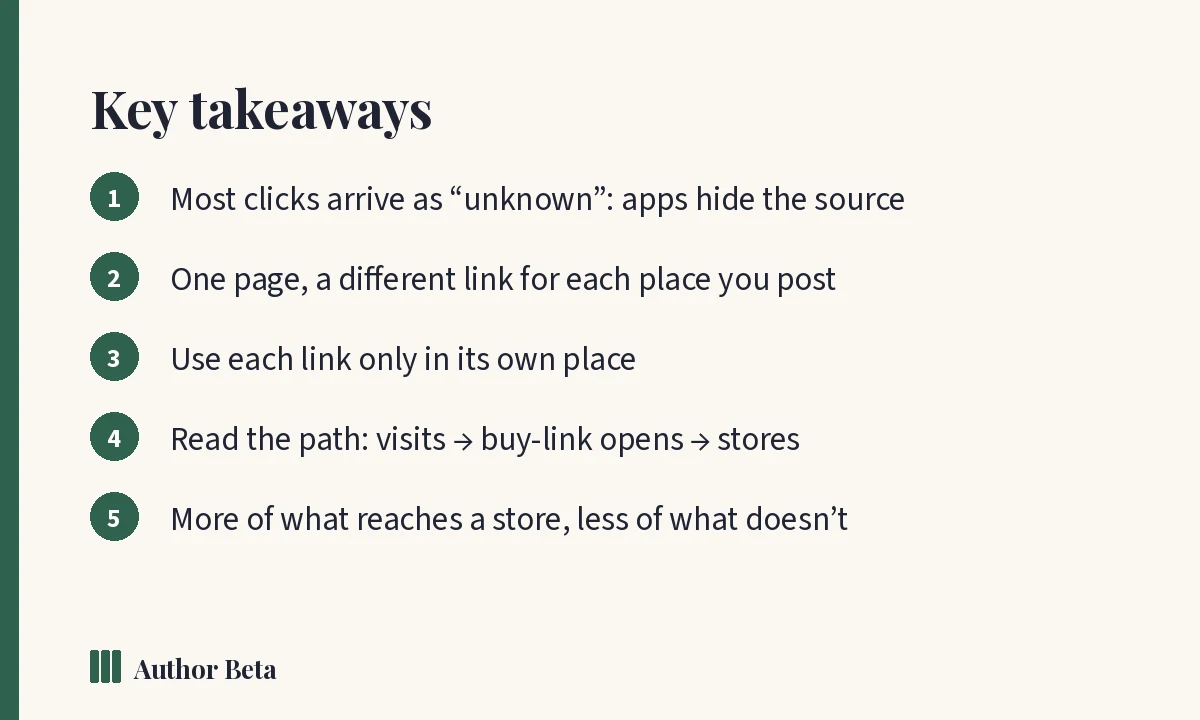
Why most of your visitors show up as “unknown”
When someone taps a link, their browser can tell the page where they came from. In practice it often doesn’t:
- Email apps and newsletters usually send nothing.
- Text messages, Discord, WhatsApp and other messengers send nothing.
- QR codes on bookmarks, flyers and the back of your book send nothing: someone just pointed a camera.
- Instagram, Facebook and TikTok open links inside their own app. Sometimes the site can recognise the app; often it can’t.
Even when the platform is recognised, it can’t tell your bio from a story, a reel, a comment or a post in a group. So you end up with one big number and a pile of “direct / unknown”.
What a tracked link is
A tracked link goes to exactly the same page as your normal link. It just carries a small tag saying where it was posted, for example authorbeta.com/your-name?via=instagram. Readers see the normal page. The tag is read when they arrive and counted against that channel.
On Author Beta the counting follows the same rule as everything else on the site: counts only. No cookies, nothing about who your readers are, never bots, never your own visits, and each visitor counts once a day per page.
The process in five steps
- Pick the page you want readers to land on: your author page, a book page, the book’s buy link (every store on one page) or your Author Links page.
- Make one link for each place you’ll post it: your Instagram bio, a TikTok post, the newsletter, the QR code on your bookmarks. If it belongs to a campaign, tag the campaign too.
- Use each link only in its own place. Pasting the Instagram link into your newsletter mixes the numbers and you lose the point.
- Wait a week or two. Counts arrive within a day, but a couple of days can mislead you in either direction.
- Compare, then do more of what worked. Keep the channel that sends readers who reach a store. Spend less time on the one that only brings likes.
A worked example
One book, three links, two weeks. The numbers are only an illustration, but the pattern is common:
- Instagram bio: 120 book page views, 18 buy-link opens, 9 stores chosen.
- TikTok post: 40 book page views, 6 buy-link opens, 5 stores chosen.
- Newsletter: 35 book page views, 20 buy-link opens, 16 stores chosen.
Instagram brought the most visitors, but the newsletter brought the readers who bought. With one shared link all three would be a single number, most of it “unknown”, and you would probably have spent next month posting more on Instagram.
How to read the results
Author Beta shows each channel as a short path: visits → buy-link opens → stores chosen, plus a “reached a store” rate (stores chosen for every 100 book page views and buy-link opens). Where the path drops off tells you what to fix:
- Many visits, few buy-link opens: the post worked; the book page didn’t convince yet. Look at the cover, the pitch and the first lines of the description.
- Many buy-link opens, few stores chosen: check the price and that every store link goes straight to the book.
- Few visits at all: the post didn’t reach people or didn’t give them a reason to tap. Change the post, not the page.
Habits that keep your numbers honest
- A new link for each campaign. A launch shouldn’t blur into last month’s giveaway.
- Separate links for a bio and a single post. A bio link is there every day; a post gets a day or two of attention. They aren’t comparable.
- One link for a paid promotion. Then you can compare what you spent with what that promotion actually sent, instead of guessing from a general bump.
- Small numbers are noisy. Five visits against three is not a result. Look for differences that hold over a few weeks.
How to do it on Author Beta
Free for everyone: your Author Links page gives you a ready-made tagged link for each profile (Instagram bio, TikTok bio, Facebook, X, Threads, Bluesky, YouTube, your email signature or newsletter, and a QR code), and shows which platform sends visitors.
Cliff Hanger (Marketing Full) adds tracked links to everything else: your author page, each book page and each book’s buy link, for any channel and any campaign. Posts in your campaigns are tagged for you with one button, and the results show by channel and by campaign, in Marketing → Measure → Tracked links and in your monthly report.
For the money side, comparing what a promotion cost with what it brought, see Author income tracking.
Frequently asked questions
Will readers notice the tag?
They see the normal page. The address has a short ?via= on the end, which most people never look at.
Does tracking use cookies or store anything about readers?
No. Author Beta counts visits per channel and nothing else: no cookies, no profiles, nothing about who your readers are.
Can I tag links to Amazon or other stores?
Point your posts at your Author Beta buy link instead. It counts the visit and the store chosen, then sends the reader on to the store.
Why not just use a link shortener?
You can, but the counts then live somewhere else. Tagged links to your own pages keep the whole path, from post to store, in one place.
How soon do numbers appear?
Within a day. Give a channel a week or two before deciding anything.
Comments