

Your free author page
A public home for you and your books at authorbeta.com/your-name, ready in minutes.
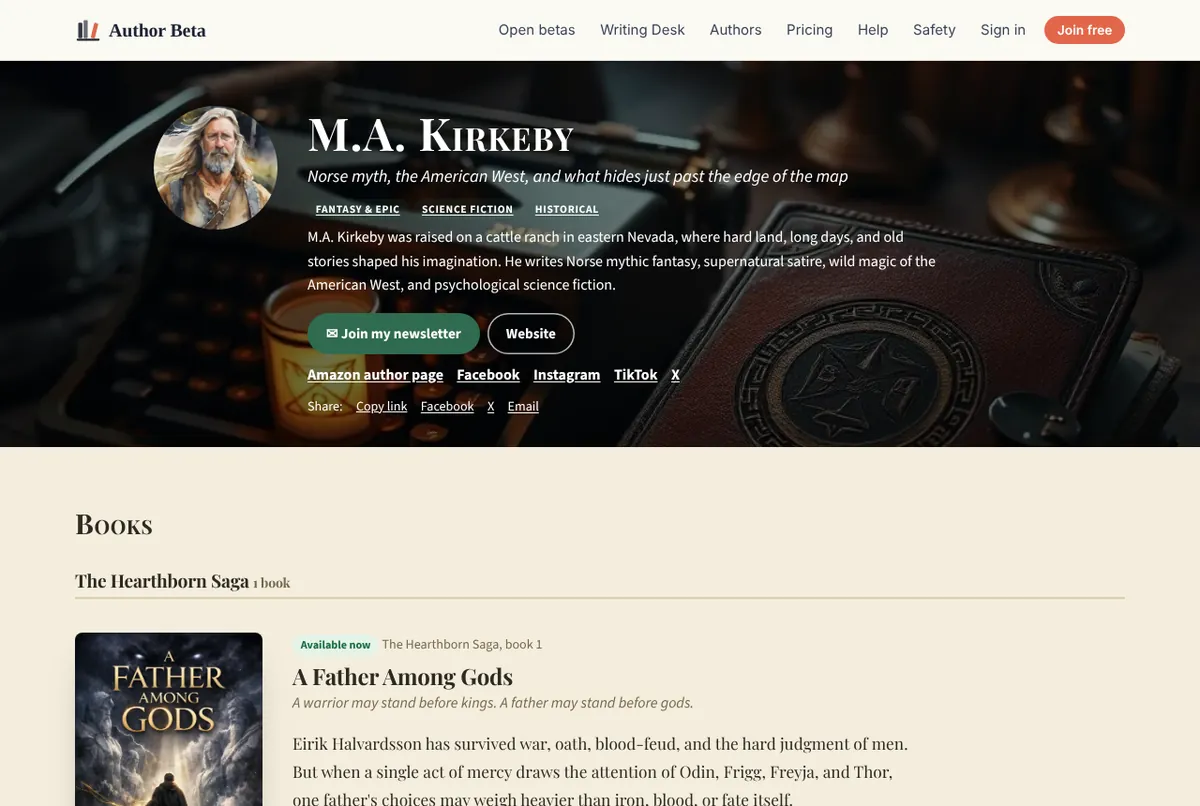
Every author gets one, free. A real example: authorbeta.com/m.a.kirkeby, with a photo, a short and full bio, social links, a newsletter button and three books grouped by series.
- From the Dashboard choose Author page.
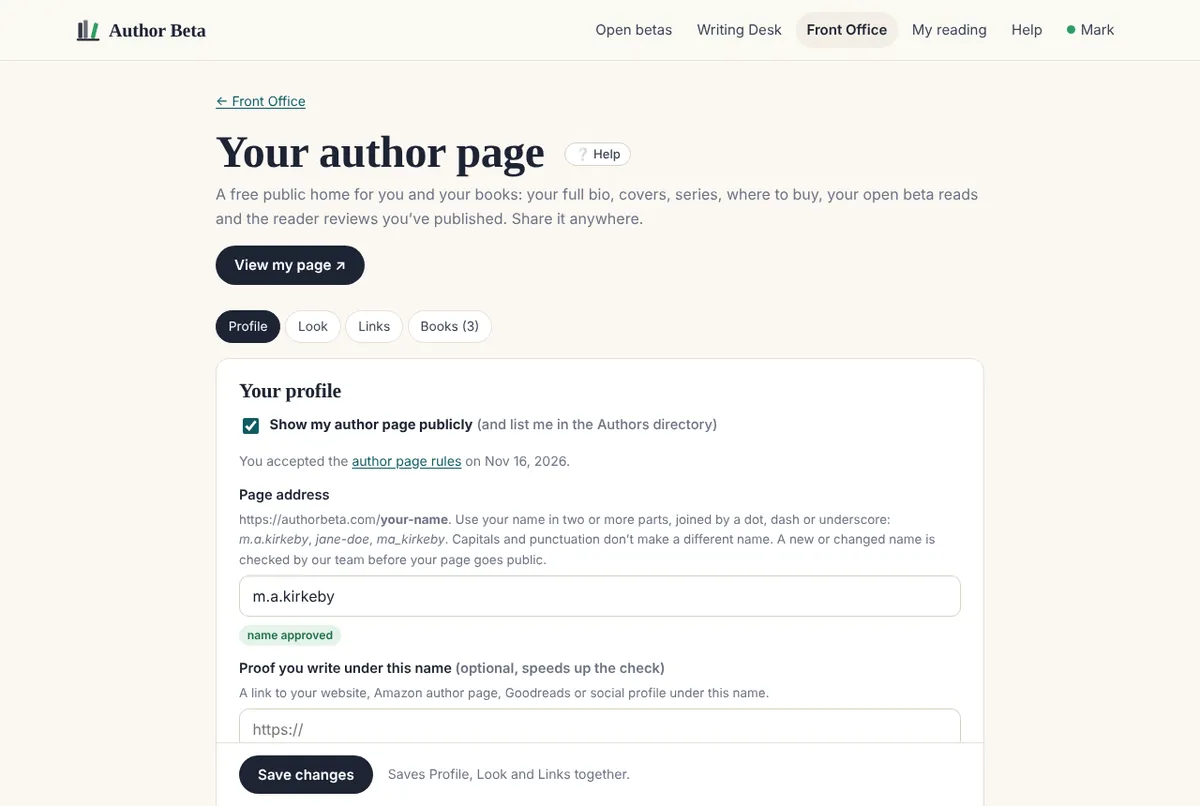
- Address: your name in at least two parts, like m.a.kirkeby, jane-doe or ma_kirkeby. New names get a quick check before they go public.
- Pen name and a headline: one line about what you write. M.A. Kirkeby’s is “Norse myth, the American West, and what hides just past the edge of the map.”
- Short bio for the top of the page, a full bio for the About section, your genres, and where you’re based if you like.
- Photo or logo: any JPG, PNG, WebP or GIF under 8 MB; square works best. We resize it and remove hidden photo details such as GPS location.
- Add your links, choose a look, then add your books.
- Read the page rules, tick to accept, and switch the page on. Until then only you can preview it.
Author pages must be about books and writing. The rules are short.
Related
- Your page address and the name check · Why new page names wait for a quick check, and how look-alike names are handled.
- The look of your page · Themes, 30 ready-made colour sets or your own colours, accent, fonts, a hero colour or image, and section order.
- Social, store and custom links · Every social network and store, your newsletter, and up to 6 links with your own labels.
- Bogsider · A page for every book, with cover, pitch, description, series, store links, reviews and a QR code.
Still stuck, or something here is wrong? Tell us and we’ll fix it.