

Book pages
A page for every book, with cover, pitch, description, series, store links, reviews and a QR code.
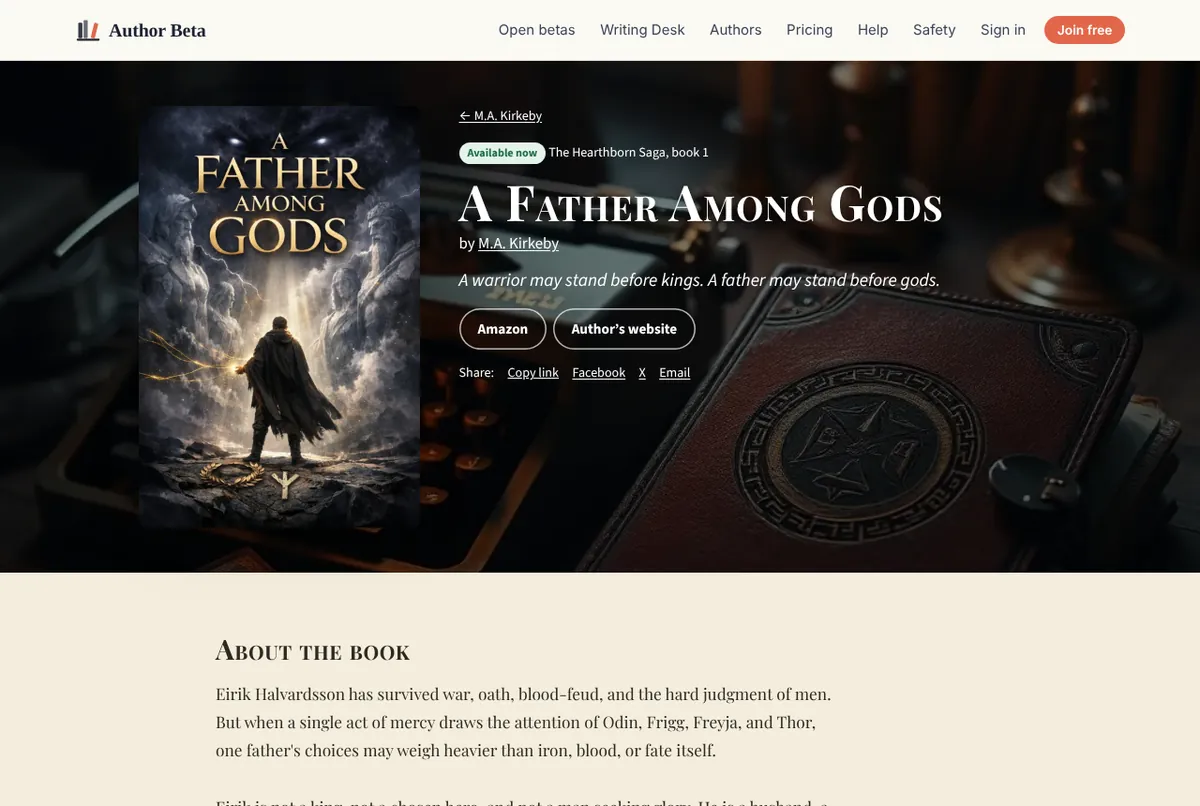
Every book on your author page gets its own page, like A Father Among Gods.
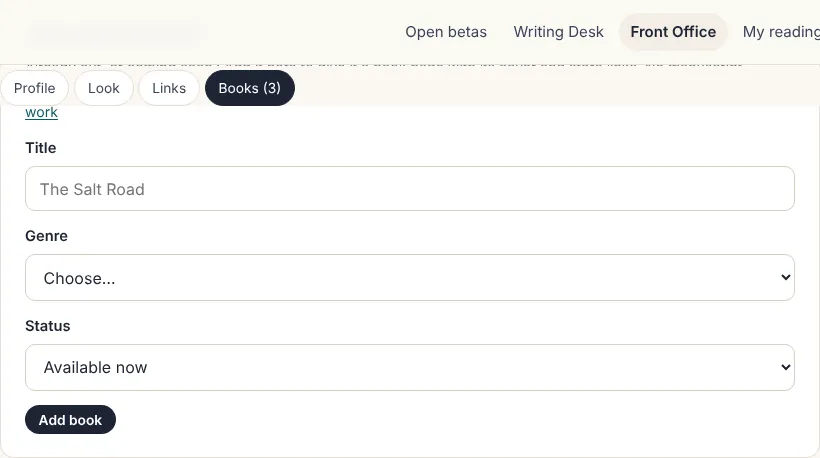
Add a book
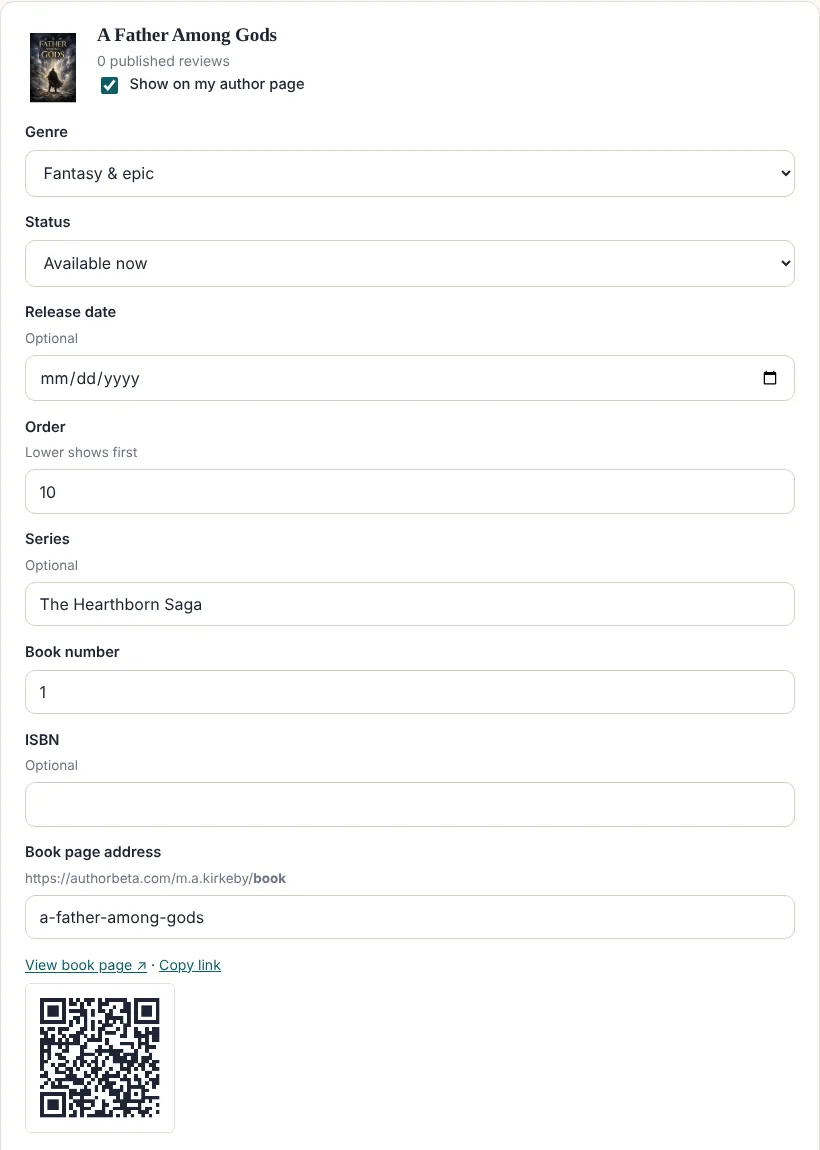
- Already published, or coming soon? In your author page settings, use Add a published book: title, genre and status. No manuscript needed.
- A book you’ve beta read here is already in your list. Tick Show on my author page.
Fill it in
- Status: Available now, Coming soon (with a release date and countdown) or In beta.
- Series and book number: books in the same series are grouped together, in number order. Order decides which series comes first (lower first).
- One-line pitch and description (the back-cover copy).
- Cover: upload one, or a clean typeset cover is drawn for you.
- Where to buy: every store, plus your own links.
- Book page address: authorbeta.com/your-name/book-title. Copy the link or download its QR code for bookmarks, flyers, signings and the back of your book.
Published reviews from your beta readers appear on the book’s page, and “More by” shows your other books.
Related
- Your free author page · A public home for you and your books at authorbeta.com/your-name, ready in minutes.
- Social, store and custom links · Every social network and store, your newsletter, and up to 6 links with your own labels.
- Reader reviews · Readers who finish can write a public review. Nothing appears until you publish it.
- Share reviews as images, WordPress blocks or text · Turn a reader review into a quote image, a WordPress block, HTML or plain text.
Still stuck, or something here is wrong? Tell us and we’ll fix it.