

Set up and open a beta round
The public page, dates, reader spots, who can find and join it, your questions, and opening it.
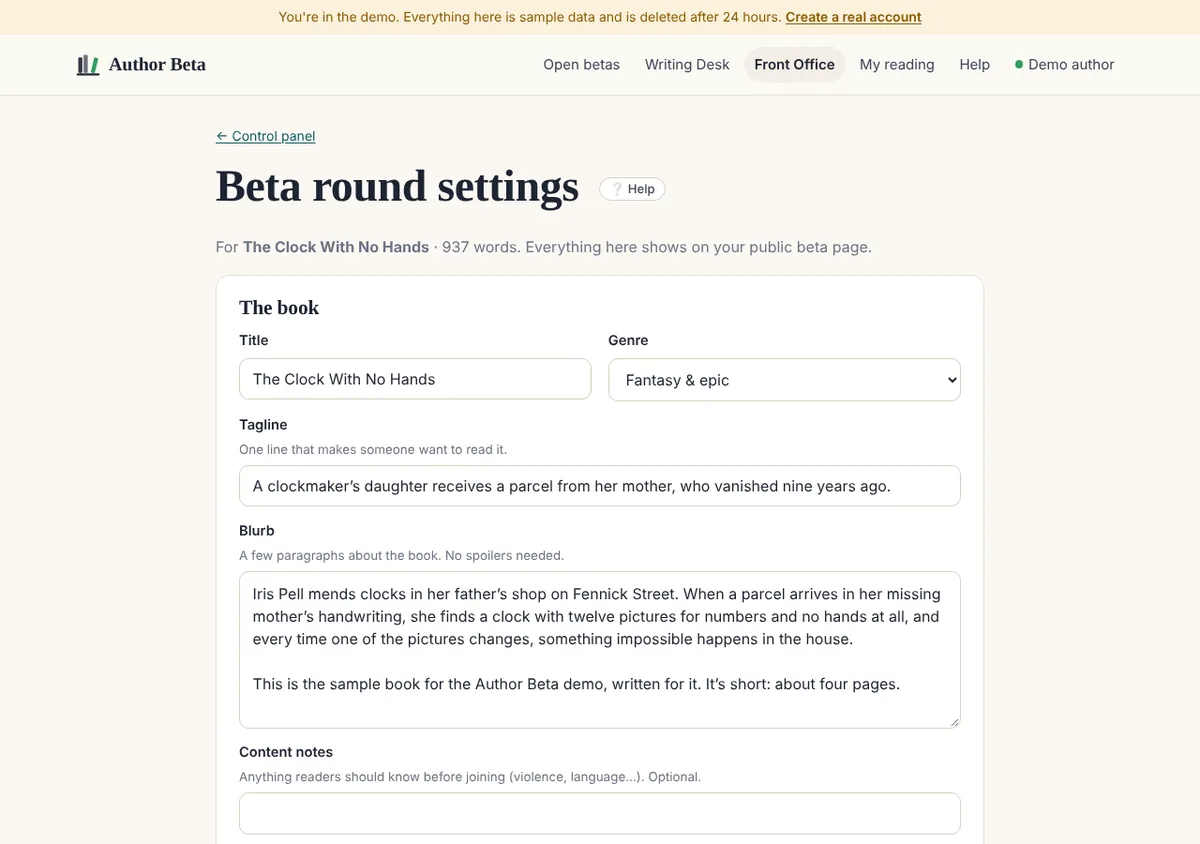
- In the Dashboard, choose + New beta round on your book.
- The book: title, genre, a one-line tagline, a blurb, content notes (anything readers should know first), and a cover. Without a cover we make a clean typographic one. All of this shows on your public beta page.
- The round: when reading opens and closes, and how many reader spots (up to 20). When spots fill, sign-ups go to a waiting list.
- Who can find it: listed in Open betas (anyone can join), or only people with your link.
- Who can join: everyone, or only proven readers at a reader tier you choose, useful for a final polish.
- Welcome note (what stage the book is at, what feedback helps most), an optional thank-you (never tied to a positive review), the name on emails, and questions at the end, one per line, which readers answer in their final thoughts.
- Choose how to open it: your free first round, or one promotion (Cliff Hanger’s monthly round arrives as a promotion). Then Open this beta read, or Save as draft to finish later.
Readers’ keys expire when the round closes. You can choose to let readers keep their key afterwards.
Passer la main à un correcteur
Tick This round is for my editor (or press Hand off to an editor on your book in the Dashboard). It’s a private round with one reader spot, shared only by its link, and every note your editor leaves goes straight onto your punch list, with no sorting. Your editor reads and comments in the same reader as beta readers; they can still change or remove a note until you tick it done. Editor rounds open without a promotion, one open at a time per book.
Chapter check-ins
Under your end-of-book questions you can add up to three short questions after any chapter (12 chapters at most): “Did you guess who sent the letter?” Readers see them at the end of that chapter, beside the star rating, while it’s fresh. Their answers are encrypted like notes and appear in the round’s Final thoughts tab. The form also suggests a few questions for your genre; press + Add to use one.
Related
- Find and invite readers · Your beta page, share buttons, a QR code, ready-to-post text and where sign-ups came from.
- The control panel · Reader progress, where readers stop, the story pulse, notes, reviews, final thoughts and your readers.
- Beta rounds and promotions · Your first round is free. After that a round uses one promotion: $5, or less in a pack.
Still stuck, or something here is wrong? Tell us and we’ll fix it.