

Write it. Test it. Launch it. Sell it. All in one place.
Write, beta read, design, market and blog from one private account. Free to start, and built by authors.
What are you here to do?
- A private Writing Desk, free to try
- Your first beta round free
- Cover Studio and print-ready files
- A free marketing path and scheduler
- Your own author page and book pages
- SEO checks as you write, in plain words
- A board from idea to published
- Templates for how-tos, lists, reviews and news
- Publish straight to your WordPress site
- Optimized WebP images, automatically
- Read on your phone, tablet or computer
- Alerts only for the genres you love
- Your notes shape the finished book
- Stars and badges for reading to the end
- 231free writing lessons
- 66tools in one account
- 200+post, ad and banner templates
- 36book cover designs, spine and back included
- 104post ideas written about your book
Most authors pay for five apps. This is one.
A writing app, beta reading, design, a social scheduler and a website, in one account that works together: your manuscript goes to beta readers, their reviews become your marketing, and every template fills in from your book. Add up what your apps cost →
Write and plan
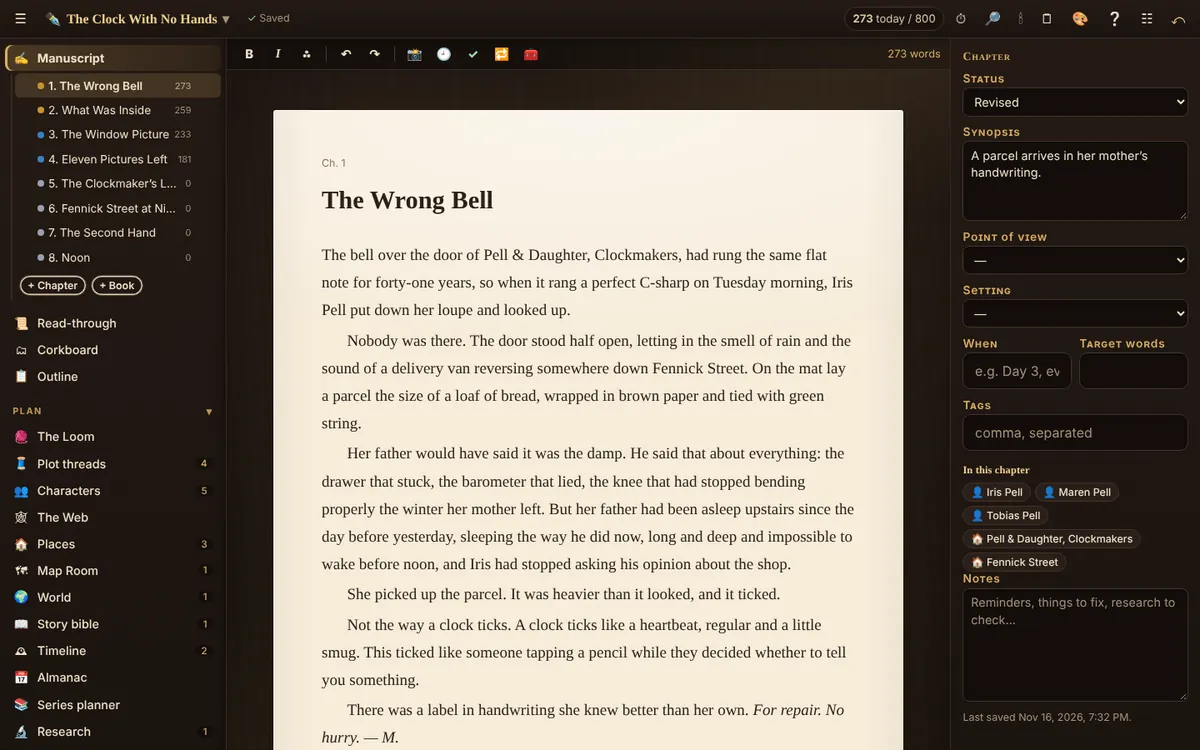
A private, encrypted Writing Desk with your story bible, plot grid and checks beside every chapter.
- Writing Desk Free to try
Write every chapter in a calm, private room, with your characters, places and plot threads beside you. Encrypted on your computer. - The Loom plot grid Free to try
Every plot thread against every chapter, so you can see the subplot you dropped in chapter 6. - Story structures Free to try
Lay three-act, hero’s journey, romance or mystery beats over your chapters and see what’s missing. - Characters and the Web Free to try
Character cards, relationships and family trees, linked to every chapter they appear in. - Map Room and places Free to try
Your own maps with places pinned on them, and a card for every location. - World, Almanac and timeline Free to try
Your world’s rules, its own calendar and a timeline of events.
Beta reading
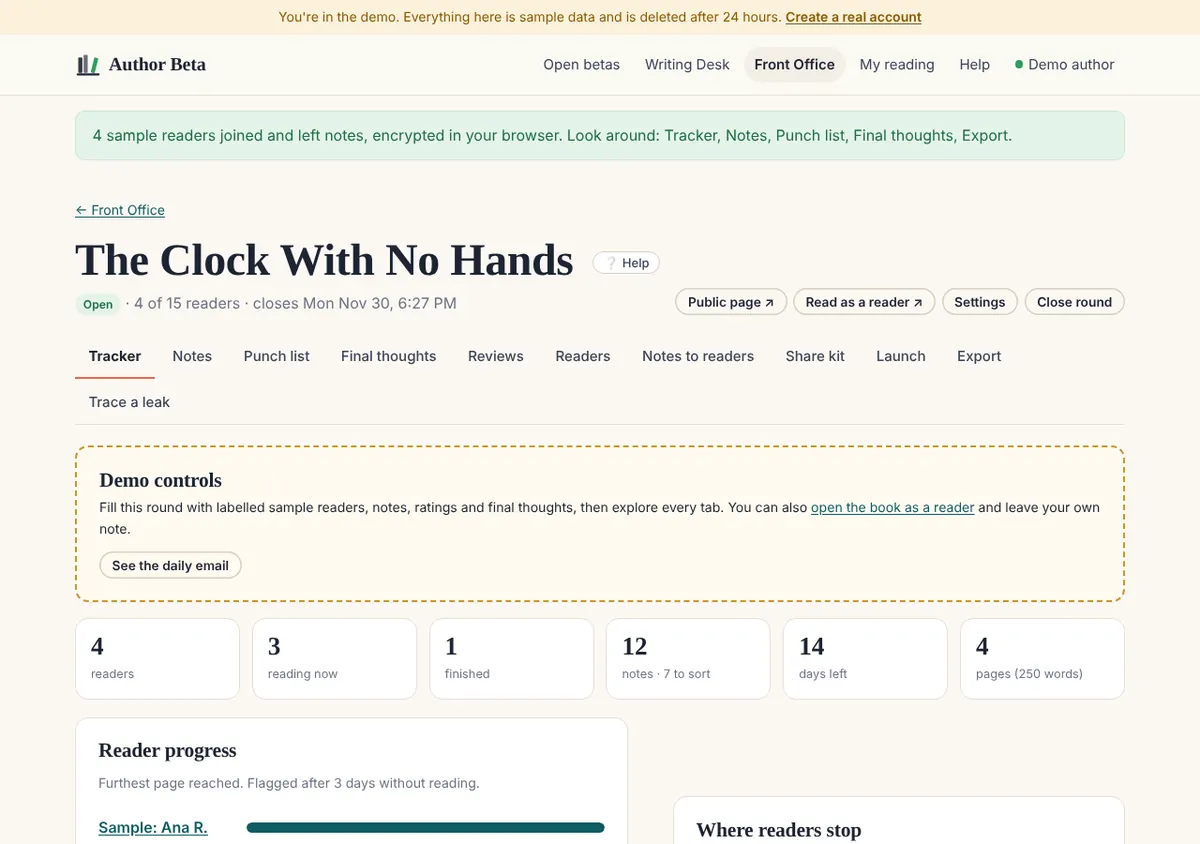
Real readers before launch, with notes pinned to the page.
- Private beta reads First round free
Up to 20 readers a round, your book encrypted before it leaves your computer. - Notes pinned to the page First round free
Every note carries its chapter, page, paragraph and the words the reader quoted. - Reading tracker and story pulse First round free
See how far every reader got, where interest drops, and which chapters they loved. - Reader check-ins First round free
Email the readers you choose, with their own pages read and your deadline filled in. - Punch list and Word margins First round free
Sort notes into a revision checklist, then export your manuscript with notes in the Word margins. - Leak tracing First round free
Every page carries the reader’s name, plus hidden marks that trace copied text to its source.
Publish and design
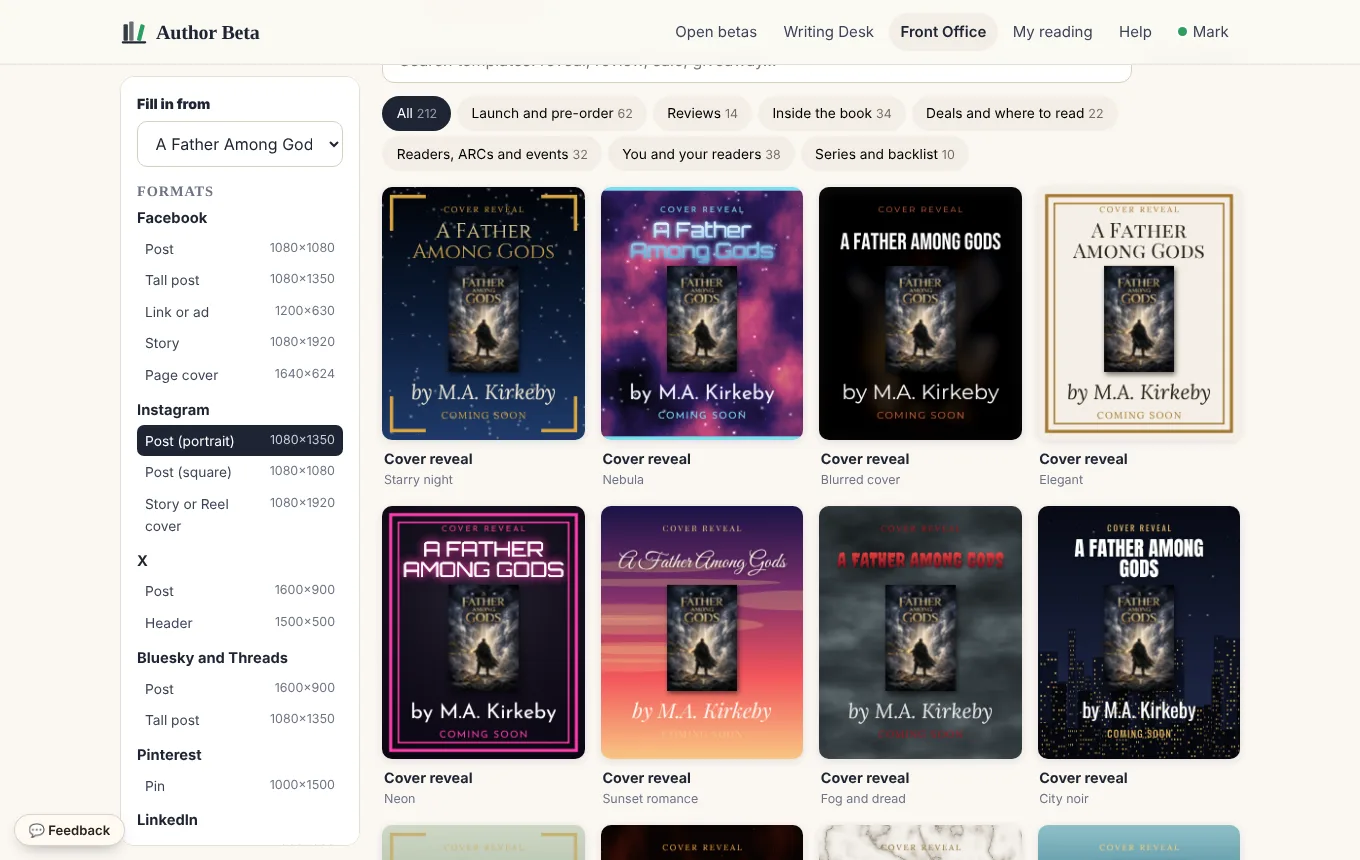
Print and ebook files for every store, covers, promo graphics and pictures, made in your browser.
- Book Record Free
Every store detail for one book, typed once: description, keywords, categories, ISBNs, trim, prices. Checks it against store rules and works out your royalty per sale. - Rights and disclosure Free
Where every picture, font and quotation came from, permissions still pending, and your answers to the stores’ AI questions, with a summary to keep. - The Press Free
ePub for every store, Word for agents, and print PDFs typeset for KDP and Barnes & Noble with the right margins, embedded fonts and a store check. Free on every plan. - Book Binder Free
Write a whole novel on the free desk: save each chapter as a file, then bind them all into one book and export it through The Press. - Cover Studio Writing Desk or Cliff Hanger
Ebook, audiobook and full paperback or hardcover wraps with spine and back, print guides and a pre-flight check. - Templates Free
Hundreds of designs for authors: posts, stories, ads, banners and book covers, filled in from your book.
Marketing
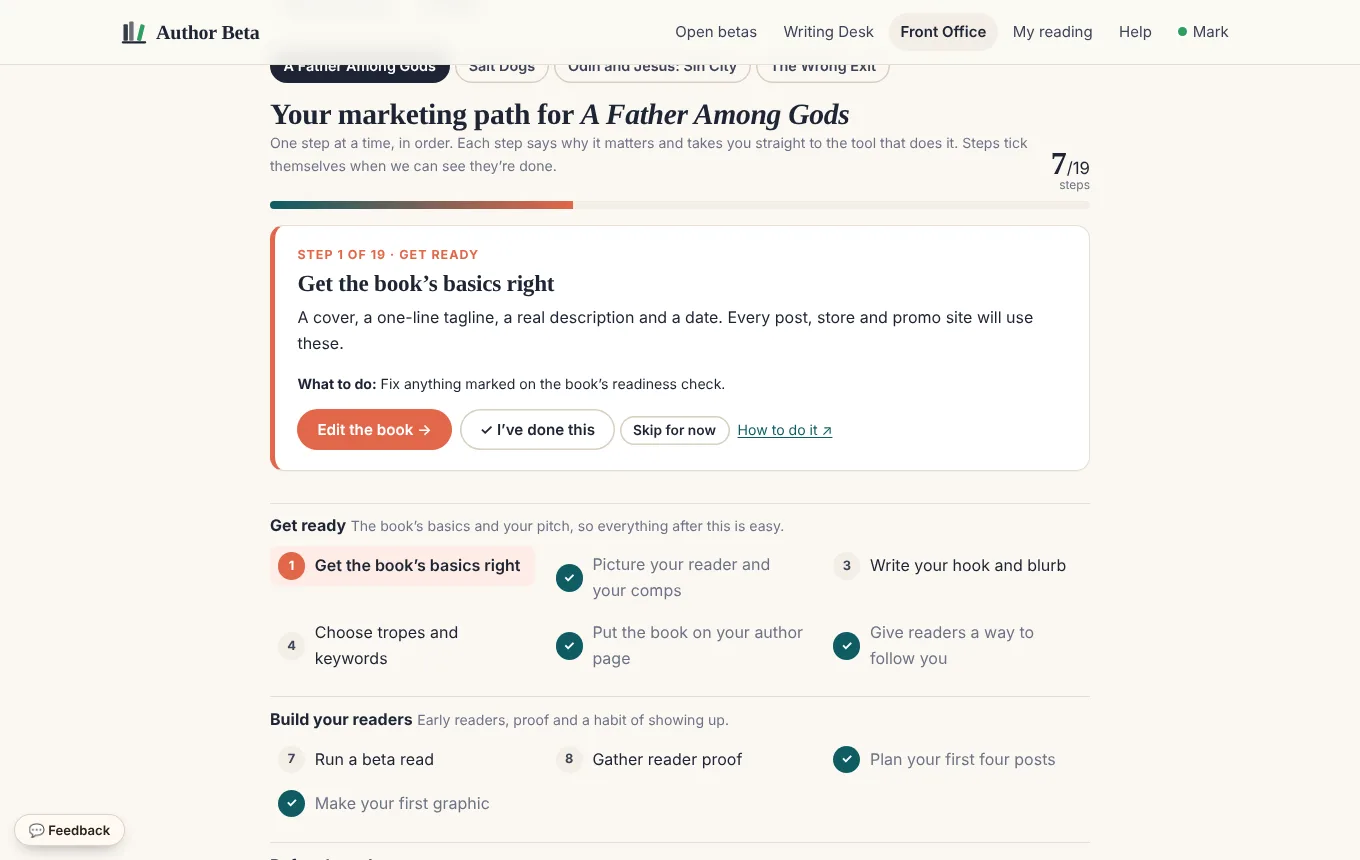
A step-by-step path from finished book to readers finding it, with every tool for every step.
- Book Hub Free
Each book’s whole journey on one page: plan, write, test, revise, produce, launch and earn, with the one next step. - Reader magnets and review copies Writing Desk or Cliff Hanger
Give away an ePub: a free story for newsletter sign-ups, or advance copies for reviewers. Each copy is made for its reader, with a leak code inside. - Marketing Plan Free
Your book, hours and budget in; what to fix first, do now, try later and skip out, with the campaign plans that fit. - Media Kit studio Free
Bios in three lengths, hooks, interview topics, a store and library sheet and a book club guide, to copy, download or print. - Outreach templates and ethics check Free
Review invitations, podcast and press pitches, shop and library notes, swaps and a welcome sequence, checked for wording that breaks review rules. - Offer and scam checker Free
Paste an offer of promotion, reviews or a “deal” and see which documented scam patterns it matches.
Your pages and readers
Author page, book pages, your own site, blog, newsletter and mail.
- Pen names Writing Desk or Cliff Hanger
Write under more than one name: each pen name gets its own author page and book pages, under one login. - Author page Free
Your own address with bio, photo, every social and store link, in your colours. - Author Links Free
One link for every bio: your new book, newsletter, reader magnet, events, video and booking pages, in your own design, with a branded QR code and click-through stats by platform. - Bio Studio Free
Bios for Amazon, the back cover, social profiles and press, written with Author Beta’s own AI from what you tell it, and saved in one kit. - Book pages Free
A page for every book: cover, pitch, countdown, buy buttons for every store, series order and reviews. - Press kit Free
A printable kit for bloggers, bookshops, podcasts and events.
Blog Studio
A blog writer for authors and bloggers, with the search checks a good editor would make, in plain words. Now in alpha testing.
- SEO checks as you write
Keyphrase, headings, intro, length for the post type, reading level, and a warning when two of your posts chase the same search. - A posts board
Ideas, outline, draft, checking, scheduled, published. - Templates
How-to, list, review and news posts, each with the structure readers and search engines expect. - WordPress publishing
Clean WordPress blocks, images sized for your theme, publish now or schedule.
Your book is locked on your own computer. Even we can’t read it.
- Your Writing Desk and manuscripts are encrypted on your computer before they reach us. We hold no key to open them.
- Beta readers get a key only while their round is open, and every page carries marks that trace a leak.
- We never edit, sell, share, or train AI on your work.
- No ads and no trackers, on our pages or yours.
Start free. Everything for $5 a month.
Paid once a year, never renewed by itself. Beta rounds are $5 each, or less in packs, on any plan.
Free
- First beta round free
- Writing Desk: one chapter, every tool
- Author page and a page for every book
- Marketing: the path, Pitch Kit, templates, scheduler
Writing Desk
- Everything in Free
- The whole Writing Desk: every book, Cover Studio, publishing files
- Every campaign plan in Marketing
- A daily AI allowance
Cliff Hanger
- A beta round every month
- Your full author site and bookshelf
- The whole Writing Desk
- All of the marketing, posts sent for you
- Blog, newsletter and author mail
Blog Studio is free for its alpha testers; its price is set at launch. About the alpha →
Questions people ask
Is Author Beta free?
Your author page, a page for every book, the marketing path, Pitch Kit, Post Idea Bank, templates and the social scheduler are free, and so is your first beta round. The Writing Desk is free to try with one chapter, and you can design your author site for free. The Writing Desk ($36 a year) adds every book, Cover Studio and publishing files. Cliff Hanger adds all of that plus a beta round every month, your own author site, blog, newsletter and author mail for $5 a month, paid once a year and never renewed by itself.
What is Blog Studio?
A blog writer with search checks built in, for authors and bloggers: a board from idea to published, templates for how-to, list, review and news posts, plain-word SEO checks as you write, and publishing straight to your own WordPress site. It’s in alpha testing now, with 10 free seats.
Can AI read my manuscript?
No. Your Writing Desk and manuscripts are encrypted on your own computer before they reach us, and we hold no key to open them. We never sell, share or train AI on your work. AI help is optional and only sees what you paste in and approve.
What is a beta read?
Readers read your book before it’s published and leave notes pinned to the page: what they loved, what confused them, typos and continuity slips. You can have up to 20 readers a round, watch their progress, and turn their notes into a revision checklist.
Can I design my book cover here?
Yes, with the Writing Desk or Cliff Hanger. Cover Studio makes ebook and audiobook covers and full paperback or hardcover wraps with the spine and back cover, with print guides, a pre-flight check, 121 fonts, a free image library and ready-made cover templates.
Does it post to social media for me?
The free social scheduler lines up every post by day with the words ready to copy, the picture ready to download and a button that opens the network. On Cliff Hanger you can also connect your own Buffer account to post automatically, or export your posts to the scheduler you already use.
Will my print files pass KDP and Barnes & Noble?
The Press typesets your paperback or hardcover with the exact trim size, the inside margin both stores require for your real page count, and fonts embedded in full, then checks the file against each store’s rules before you upload. Order a proof copy before you publish, as with any book.
Can I use my own fonts?
No, on purpose. Every font in The Press and the Cover Studio is licensed for selling books (SIL Open Font License or Apache 2.0) and embeds cleanly in print files. Most “free” fonts are for personal use only, and fonts that won’t embed are the most common reason print files are rejected. Need a particular font? Ask us: if its licence allows it, we add it for everyone.
Do I need an ISBN?
Kindle ebooks published through KDP don’t need one; Amazon assigns an ASIN. Print books need an ISBN, either KDP’s free one (Amazon only) or your own from your country’s ISBN agency, such as Bowker in the United States. We don’t sell ISBNs.
Who owns my book?
You do, always. We never edit, sell or share your work, and you can download all your data or delete your account at any time.
More in Help and tutorials.
Your book, your blog, your readers. Start free.
No card. Your work stays encrypted on your computer.
We’re still in development: if a tool isn’t working, tell us through the contact form.
Popular: Book writing software · Find beta readers · Free writing courses · Become a beta reader · Author Links · Free author tools