

Self-publishing gives you full control over your book: the cover, the price, the release date and the rights. It also makes you the publisher, responsible for every step a publishing house would handle. This guide explains how to self-publish a book in a clear order, with a checklist at the end.
Step 1: Finish and test the manuscript
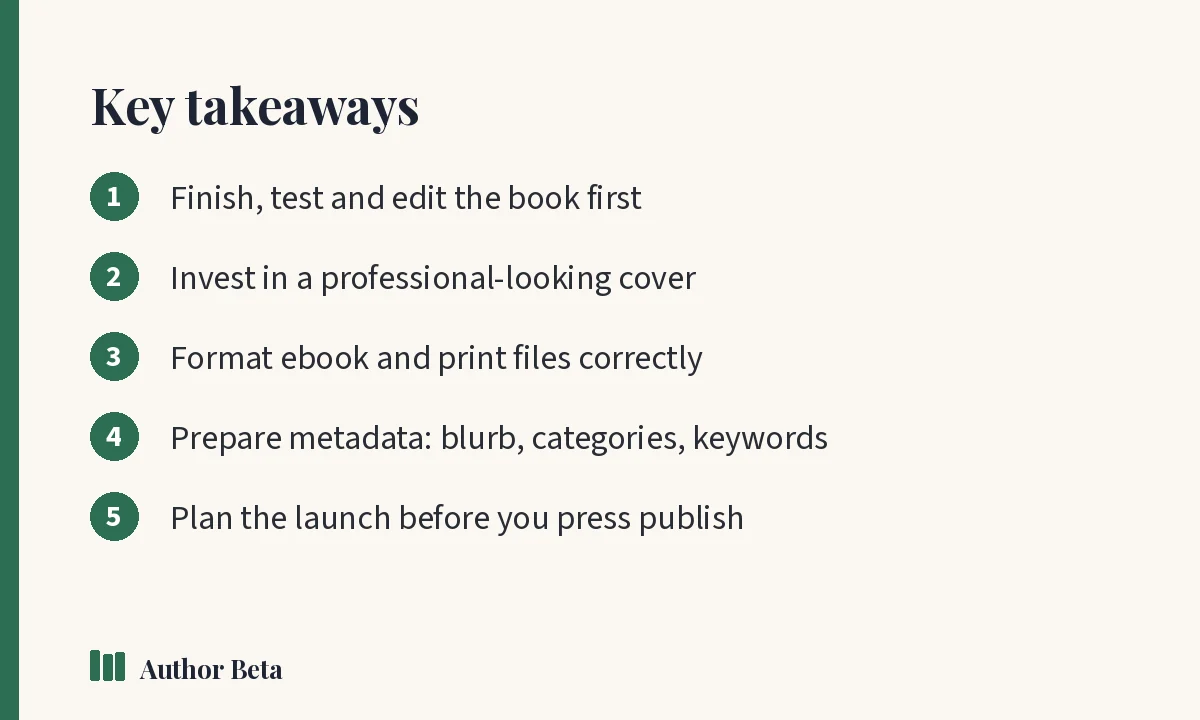
Before anything else, the book needs to be the best it can be:
- Revise in passes (see how to revise a novel)
- Test it with beta readers
- Revise again based on patterns in their feedback
Step 2: Edit professionally
Most successful self-published authors pay for at least one round of professional editing, usually copyediting and proofreading, and often developmental editing too. The Alliance of Independent Authors has guidance on finding reputable editors and services.
Step 3: Get a professional-looking cover
Your cover is your book's first advertisement. It must look right for its genre at thumbnail size. You can hire a designer, buy a premade cover, or design your own carefully. Read our guide to book cover design.
You'll need an ebook cover and, for print, a full wrap with spine and back cover sized to your page count.
Step 4: Format the interior
- Ebook: usually an EPUB file. Stores convert it for their readers.
- Print: a PDF with correct trim size, margins, bleed (if needed) and embedded fonts.
On Author Beta, the Writing Desk's Press creates ePub for every store, Word for agents, and print PDFs typeset for KDP and Barnes & Noble with the right margins, embedded fonts and a store check.
Step 5: Decide on ISBNs
An ISBN identifies a specific edition of your book. Rules vary by country and store:
- Many stores don't require an ISBN for ebooks.
- Print books need one. Some print services offer a free ISBN, but it may list that service as the publisher.
- Buying your own ISBNs lets you be the publisher of record. In the US, they're sold through Bowker.
Our guide to book metadata explains ISBNs and metadata in more detail.
Step 6: Prepare your metadata
Metadata is everything stores use to describe and find your book:
- Title, subtitle and series name and number
- Author name (and pen name)
- Book description (blurb) — see how to write a book blurb
- Categories and keywords
- Age range and content notes, if relevant
- Price in each market
The Book Record on Author Beta stores every store detail for one book, checks it against store rules and works out your royalty per sale.
Step 7: Choose where to publish
Options include:
- Amazon KDP: ebook and print on Amazon; optional exclusivity (KDP Select)
- Wide distribution: selling through many stores, directly or through an aggregator such as Draft2Digital
- Print distribution: services such as IngramSpark reach bookshops and libraries
Some authors start exclusive and go wide later, or the reverse. Read each service's current terms carefully, such as Amazon's KDP help pages.
Step 8: Set your price
Look at successful books in your genre and length. Ebook prices are often lower than print. Series authors sometimes price book one lower to bring readers in. Use a royalty calculator to check your earnings per sale.
Step 9: Plan your launch
Launch planning starts weeks before publication:
- Set up a pre-order if you can
- Send advance copies to reviewers (ARC readers)
- Prepare social posts, newsletter emails and a book page
- Decide on any promotions or ads
Author Beta's campaign plans include launch plans with every post and email drafted, and every author gets a free book page with buy buttons for each store.
How to self-publish a book: the checklist
- [ ] Manuscript revised and beta read
- [ ] Professionally edited and proofread
- [ ] Ebook cover and print wrap ready
- [ ] EPUB and print PDF formatted and checked
- [ ] ISBNs decided
- [ ] Blurb, categories, keywords and prices ready
- [ ] Store accounts set up, tax details completed
- [ ] Pre-order and launch plan in place
- [ ] Book page and newsletter ready
How to self-publish a book wide or exclusive
One early decision is whether to publish exclusively with one store or "wide" across many. Exclusive programmes can offer benefits such as inclusion in subscription reading services, but they limit where you can sell the ebook. Going wide reaches more stores, libraries and countries, but can take longer to build. Many authors try one approach per series and adjust based on results.
Usein kysytyt kysymykset
How much does it cost to self-publish a book?
It varies widely. Publishing on major stores is often free, but editing and cover design cost money. Many authors budget for editing and a professional cover as their main expenses.
Do I need an ISBN to self-publish?
Not always for ebooks, but usually for print. Check each store's current rules and decide whether you want your own ISBNs.
Can I self-publish and later get a traditional deal?
It's possible, but publishers usually prefer unpublished books or strong sales records. Many authors now choose self-publishing as their long-term path.
Kommentit